




5 Ways to Make Your Design Process Easier
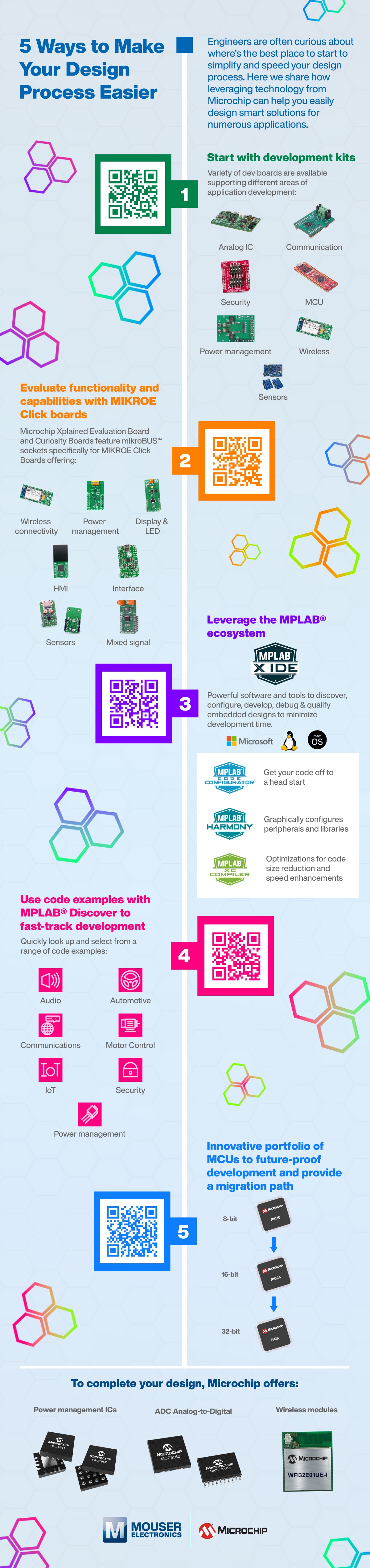
5 Ways to Make Your Design Process Easier
Engineers are often curious about where’s the best place to start to simplify and speed your design process. Here we share how leveraging technology from Microchip can help you easily design smart solutions for numerous applications.
1. Start with development kits
Microchip Technology Engineering Development ToolsVariety of dev boards are available supporting different areas of application development:
- Analog IC board shown
- Communication board shown
- Security board shown
- MCU board shown
- Power management board shown
- Wireless board shown
- Sensors board shown
2. Evaluate functionality and capabilities with MIKROE Click boards
Microchip Technology Prototyping with Mikroe Click Boards™Microchip MPLAB® Xpress Evaluation Board and Curiosity Boards feature mikroBUS™ sockets specifically for MIKROE Click Boards offering:
- Wireless connectivity board shown
- Power management board shown
- Display & LED board shown
- HMI board shown
- Interface board shown
- Sensors board shown
- Mixed Signal board shown
3. Leverage the MPLAB® ecosystem
Microchip Technology MPLAB® X Integrated Development Environment (IDE)Powerful software and tools to discover, configure, develop, debug & qualify embedded designs to minimize development time
- MPLAB Code Configurator graphic – Get your code off to a head start
- MPLAB Harmony – Graphically configures peripherals and libraries
- MPLAB XC Complier – Optimizations for code size reduction and speed enhancements
4. Use code examples with MPLAB® Discover to fast-track development
Microchip Technology MPLAB® X Integrated Development Environment (IDE) https://mplab-discover.microchip.com/v1/itemtype/com.microchip.ide.projectQuickly look up and select from a range of code examples:
- Audio Icon shown
- Automotive Icon shown
- Communications Icon shown
- Motor Control Icon
- IoT Icon shown
- Security Icon shown
- Power management Icon shown
- Security (sensor nodes)
5. Innovative portfolio of MCUs to future-proof development and provide a migration path
Microchip Migration Infographic- 8-bit chip shown
- 16-bit chip shown
- 32-bit chip shown
To complete your design, Microchip offers:
- Power management ICs: Microchip Technology PAC194x & PAC195x Monitors
- ADC Analog-to-Digital: Microchip Technology MCP3x6x Sigma-Delta ADCs
- Wireless modules shown: Microchip Technology WFI32E01 Wi-Fi® MCU Modules
Mouser and Microchip logos positioned at the bottom